Mobile Text Alerts | SMS + MMS
- 3.3
- Rating
- 10.00K
- Installs
- Free
- Price

 Analysis by App-foxy
Mobile Text Alerts | SMS + MMS is a communication app from Vimbly MTA that I would describe as a focused tool for sending text messages to an audience rather than a general-purpose chat app. After spending time with it, my main impression is clear: it makes the most sense for someone who needs a direct way to reach customers, members, or followers, but it is less compelling if you only want to message friends one at a time.
The app is free to install, carries an Everyone age rating, and has passed the modest early-adoption stage with over ten thousand installs. Its average score sits at 3.3 from roughly one hundred ratings, which tells me that the experience is useful for some people but not universally smooth. I would not treat that rating as a reason to dismiss it, though. The more important question is whether your communication problem is specifically about sending organized SMS or MMS messages to a group.
What the app does well in real communication work
The strongest part of Mobile Text Alerts is its narrow purpose. Instead of opening a social network, building an email campaign, or relying on a personal messaging thread, I can approach audience communication as a text-first task. That distinction matters when the recipients are customers or community members who may not check email regularly but are likely to notice a message notification.
You May Also Like

 AccuWeather: Weather Radar
AccuWeather Review: A Quick, Clear Forecast for Everyday Decisions
For everyday plans, the best forecast is the one you can understand quickly. AccuWeather makes rain timing, radar, and local conditions easy to act on, with a few trade-offs.

 Hill Climb Racing
Why Hill Climb Racing Still Turns Crashes Into One More Run
A tiny car, a bumpy hill and one more upgrade: Hill Climb Racing keeps resurfacing because its simple chaos makes every near-miss feel personal.

 AliExpress - Shopping App
AliExpress Makes Global Shopping Feel Personal, but Shoppers Bear the Risk
AliExpress turns a global marketplace into a pocket-sized discovery engine. Its reach is useful, its shopping loop compelling, and its trade-offs easy to miss.

 Lords Mobile: Kingdom Wars
Lords Mobile Is a Kingdom-Building Routine, Not a Quick Match
A case-by-case verdict on the building, battles, device demands, and social commitments that make Lords Mobile rewarding for some players and exhausting for others.

 PDF Scanner app - TapScanner
TapScanner Makes Paperwork Easier to Capture, Check, and Share
TapScanner makes scanning with a phone feel less like a rescue operation and more like a dependable step in getting work done. Its capture tools are useful, though not flawless.

 Block Blast!
 Shows How Much a Puzzle Game Can Leave Out
A quiet grid game shows why puzzle players increasingly value instant clarity, repeatable skill and low-pressure play—and where the genre still needs to catch up.
More From Our News Desk
View All News


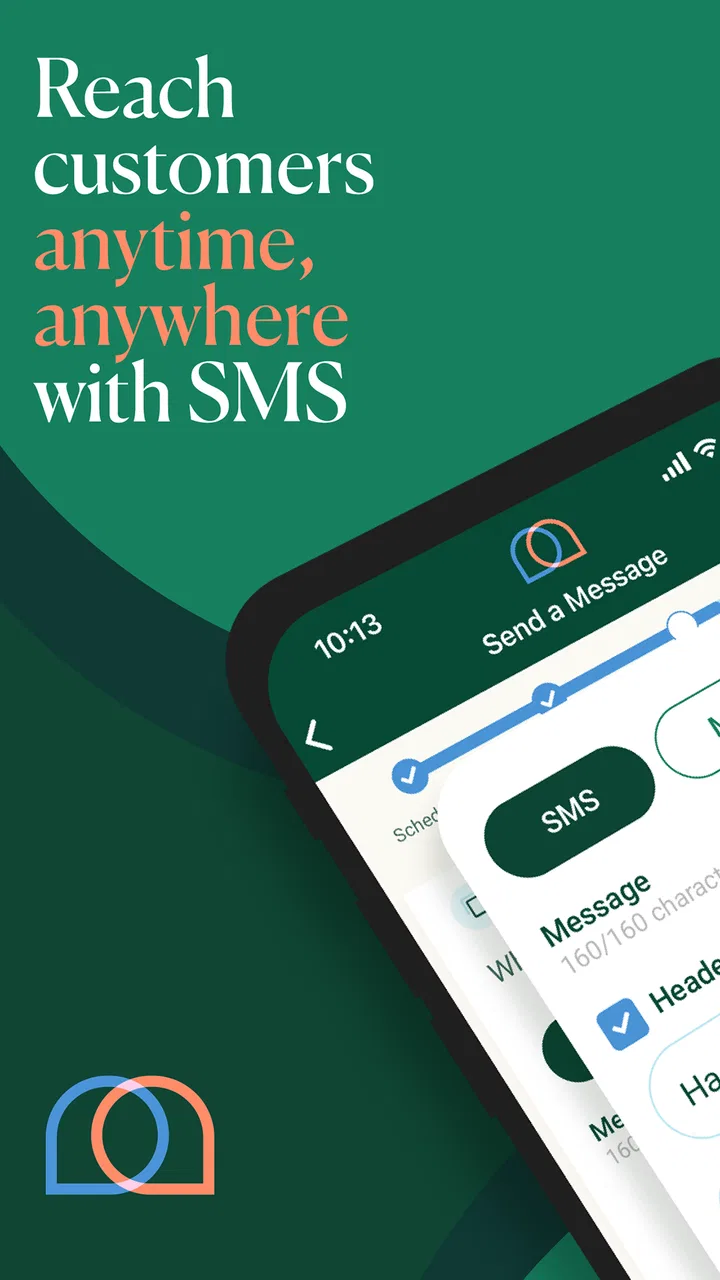
I see the app fitting naturally into situations such as a small business announcing a change in opening hours, a local organization reminding members about an event, or a service provider contacting clients about availability. It is also relevant to anyone trying to support sales and engagement through mobile messages. The store summary points directly toward that use: sending SMS, or text messages, to an audience with a commercial or community goal in mind.
What I appreciate is the reduction in distance between the sender and the audience. An email campaign can feel formal and easy to ignore. A social post depends on people opening the right platform at the right time. A text message is more immediate by nature. That does not make every text effective, but it gives the sender a communication channel with a different rhythm and a clearer sense of urgency.
For a small operation, that directness can be more valuable than a large collection of marketing tools. If I were coordinating a neighborhood service, a class, or a customer list, I would rather have a straightforward mobile workflow than a complicated desktop system designed for a much larger marketing department.
A practical scenario where it earns its place
Imagine I run a small appointment-based service. A customer needs a reminder, a schedule changes unexpectedly, or I want to announce a limited opening. With a normal phone messaging app, I may end up copying and pasting the same text repeatedly, mixing personal conversations with business communication, or accidentally leaving someone out. A dedicated audience-messaging app gives that task its own space.
The sensible workflow is to prepare a short message, check the intended audience carefully, and send only information that genuinely deserves attention. I would avoid treating it like a constant promotional megaphone. Texts are personal enough that poor timing or excessive frequency can quickly make people ignore future messages. The app can support the delivery, but the quality of the communication still depends on the sender.
That is one of the less obvious trade-offs here: the convenience of audience texting also raises the cost of careless communication. A typo in a social post can be edited or buried. A text alert reaches people more directly, so I would review names, timing, wording, and any included media before sending.
Where SMS and MMS make a difference
The inclusion of both SMS and MMS makes the app more flexible than a text-only workflow. SMS is useful for concise announcements, reminders, and calls to action. MMS is better when the message needs an image or another richer element to make sense. For example, a small retailer might want to show a product, while an event organizer could use an image to make a notice easier to recognize.
That does not mean every message should include media. Richer messages can take more preparation and may be less suitable for a quick, time-sensitive update. I would use plain SMS when the information is simple and reserve MMS for cases where the visual element genuinely improves understanding. This keeps the communication focused and avoids turning every alert into a miniature advertisement.
Another useful habit is to write the message as if it were being read on a lock screen. The first line should explain why the recipient should care. Important details should not be hidden behind a long introduction. This is not a feature claim about the app; it is the practical discipline that makes a mobile alert work better once the app has delivered it.
The mobile-first advantage
Because this is an Android communication app, its main appeal is convenience for people who manage their work from a phone. I can imagine using it between appointments, while traveling locally, or during a busy day when opening a full desktop marketing platform would be excessive. The current version is 3.4.21, and it supports devices running Android 7.0 or newer, giving it a relatively broad reach among Android users.
That compatibility is helpful for people who do not own the newest phone. At the same time, I would still think about the size of the audience and the seriousness of the campaign before making the app my only communication system. A phone is excellent for quick decisions and short campaigns, but larger lists and more demanding planning can become harder to manage on a small screen.
My advice is to treat the app as a focused operating tool, not as a replacement for every part of customer relationship management. It can sit at the center of a text-alert workflow while other tools handle detailed records, long-form content, or broader campaign planning. That division of labor is more realistic than expecting one mobile app to do everything.
The important limitation: focused does not mean effortless
The same narrow focus that makes Mobile Text Alerts appealing can also make it feel limited for users looking for a complete marketing suite. If I need advanced customer histories, elaborate automation, deep reporting, or a broad multichannel strategy, I would probably look at a more specialized business platform instead. A text-alert app is not automatically a full customer-management system.
I would also be cautious about the audience-management side of the experience. Sending to a group is powerful, but a mistake in the selected audience can affect many people at once. Before using it for an important announcement, I would create a small test group or send a trial message to myself and a colleague. That extra step may feel slow, but it is a sensible safeguard when a mobile action can represent a business or organization.
There is also a financial point to consider. The app is free to download, but it includes in-app purchases ranging from $4.99 to $274.99 per item. That wide range means the free entry point should not be confused with an entirely cost-free communication program. Anyone planning regular audience messaging should understand the likely spending path before committing to the service.
I would especially recommend calculating the cost around actual usage rather than choosing the app simply because installation costs nothing. A small occasional campaign may be affordable, while frequent messages to a large audience can change the economics quickly. The right decision depends on how often you send, how many people receive each alert, and whether the resulting engagement justifies the expense.
Who should use it, and who should choose something else
I think Mobile Text Alerts is best suited to a small business owner, community organizer, independent service provider, or marketing-minded operator who wants audience texting without starting from a desktop-heavy system. It is also a reasonable option for someone who values direct communication and already understands that concise, permission-based messaging works better than sending every thought to every contact.
It may be particularly useful when the sender is mobile throughout the day. A person managing appointments, local events, or customer updates can benefit from having the communication channel close at hand. The app’s Everyone rating also makes it broadly approachable from an age-classification perspective, although the responsibility of using audience messaging still belongs to the account holder.
I would skip it if my needs were limited to personal conversations with relatives and friends. A standard messaging app is usually more natural for one-to-one chats, informal group discussions, and replies that need to remain conversational. Mobile Text Alerts is aimed at a different communication pattern: one sender organizing messages for an audience.
I would also look elsewhere if I needed a polished, large-scale campaign environment with extensive analytics or multiple communication channels in one place. Email platforms may be better for long explanations and newsletters. Social platforms may be better for public discussion and discovery. A full business communication service may be preferable when customer records, automation, and reporting matter as much as delivery.
The choice is therefore less about whether this app is universally good and more about whether SMS or MMS is the correct channel. If your audience responds well to direct mobile alerts, the app has a clear reason to exist. If your audience expects detailed email content or interactive social communication, forcing everything into text messages would be the wrong strategy.
Small habits that make the experience safer and more effective
My first recommendation is to separate urgent information from promotional information. A schedule change, service interruption, or time-sensitive reminder deserves a different tone from a sales announcement. Mixing both too often can weaken trust, even when the messages are technically delivered successfully.
Second, I would keep a simple internal record of what was sent and when. This is useful when several people share responsibility for communication, because it prevents duplicate alerts and makes it easier to answer a recipient who asks about an earlier message. The app can be the sending point, but a lightweight process around it protects against avoidable confusion.
Third, I would use a recognizable opening. Recipients should not have to guess who is contacting them or why. A short identification followed by the useful detail is usually stronger than a vague teaser. This is especially important when an organization has several services or events and the recipient may receive messages from different sources.
Finally, I would test MMS content on an ordinary phone before sending it to a large audience. Images can look different across devices, and a message that seems obvious to the sender may be unclear without context. A test helps me catch awkward cropping, missing information, or a visual that does not add enough value to justify including it.
My final assessment
After weighing the convenience against the limitations, I see Mobile Text Alerts | SMS + MMS as a practical specialist rather than an all-purpose communication solution. Its value comes from making audience texting the central task. That is a genuine strength when I need to reach customers or members directly, especially from an Android phone and without building a complicated workflow.
The average rating of 3.3, based on around one hundred ratings and a few dozen written reviews, suggests that expectations should remain realistic. I would not install it assuming every business communication problem will disappear. I would install it when the specific problem is sending organized SMS or MMS alerts and when the purchase structure fits the planned volume.
Vimbly MTA has created something that can be useful in the right hands, but the app rewards discipline. Short messages, careful audience selection, sensible timing, and a clear reason for every alert matter as much as the software. The best reason to choose it is not that it sends texts; it is that it gives audience messaging a dedicated mobile workflow.
My recommendation is positive for small teams and independent operators who want a direct customer-contact channel and are comfortable evaluating the ongoing in-app costs. I would point casual personal users toward their regular messaging app, and I would point larger organizations toward a broader communications platform. For everyone in between, the free starting point makes it easy to explore, while the real decision should come from message volume, audience needs, and whether mobile alerts genuinely suit the way you communicate.
FAQs for Mobile Text Alerts | SMS + MMS
01What is Mobile Text Alerts, and what can I use it for?
Mobile Text Alerts is a business-focused messaging platform for sending SMS and MMS communications from a phone or web dashboard. After reviewing its main features, it is best suited to organizations, teams, schools, nonprofits, and businesses that need to send announcements, reminders, alerts, promotions, or two-way messages. It is not primarily designed as a casual personal texting replacement.
02Can I send both SMS and MMS messages with Mobile Text Alerts?
Yes, Mobile Text Alerts supports standard SMS text messages as well as MMS messages containing media such as images, depending on the selected plan, account configuration, and carrier limitations. Before sending a campaign, users should check message length, attachment restrictions, supported file types, and possible additional charges. Delivery can also vary according to the recipient’s mobile network and country.
03Does Mobile Text Alerts support two-way conversations and replies?
The service is designed to support interactive messaging rather than only one-way announcements. Recipients may be able to reply to messages through the assigned business number, allowing teams to answer questions, collect responses, or continue a conversation. However, available reply features, inbox tools, user permissions, and number options can depend on the subscription plan and account setup.
04Is Mobile Text Alerts suitable for sending messages to large groups?
Mobile Text Alerts is built with group communication and broadcast messaging in mind, making it useful for contacting customers, employees, members, students, or event participants at the same time. Users can typically organize contacts and send targeted messages, but they should review campaign limits, contact-import rules, consent requirements, and carrier restrictions before launching a large broadcast.
05Is Mobile Text Alerts free to download and use?
Downloading the Mobile Text Alerts app may be free, but access to its complete messaging service generally depends on an account, subscription, or usage-based pricing. Costs can vary according to the number of contacts, messages, MMS media, phone numbers, and additional features required. Anyone considering the app should review the current pricing page and terms before sending paid campaigns.
Pros
- Supports both SMS and MMS messaging for broader communication.
- Offers automated text alerts for timely customer notifications.
- Useful for businesses managing recurring or scheduled messages.
- Can help improve engagement through direct mobile communication.
- Provides a practical alternative to email for urgent updates.
Cons
- Message costs may increase quickly with large recipient lists.
- Recipients may need to opt in before receiving certain messages.
- MMS features can vary depending on carrier and device support.
- Frequent alerts may feel intrusive if campaigns are poorly timed.
- Advanced business tools may require a paid subscription.

Mobile Text Alerts | SMS + MMS
Gallery